Go2Cue

Your crew sees the info it needs,
not just a flashing light.

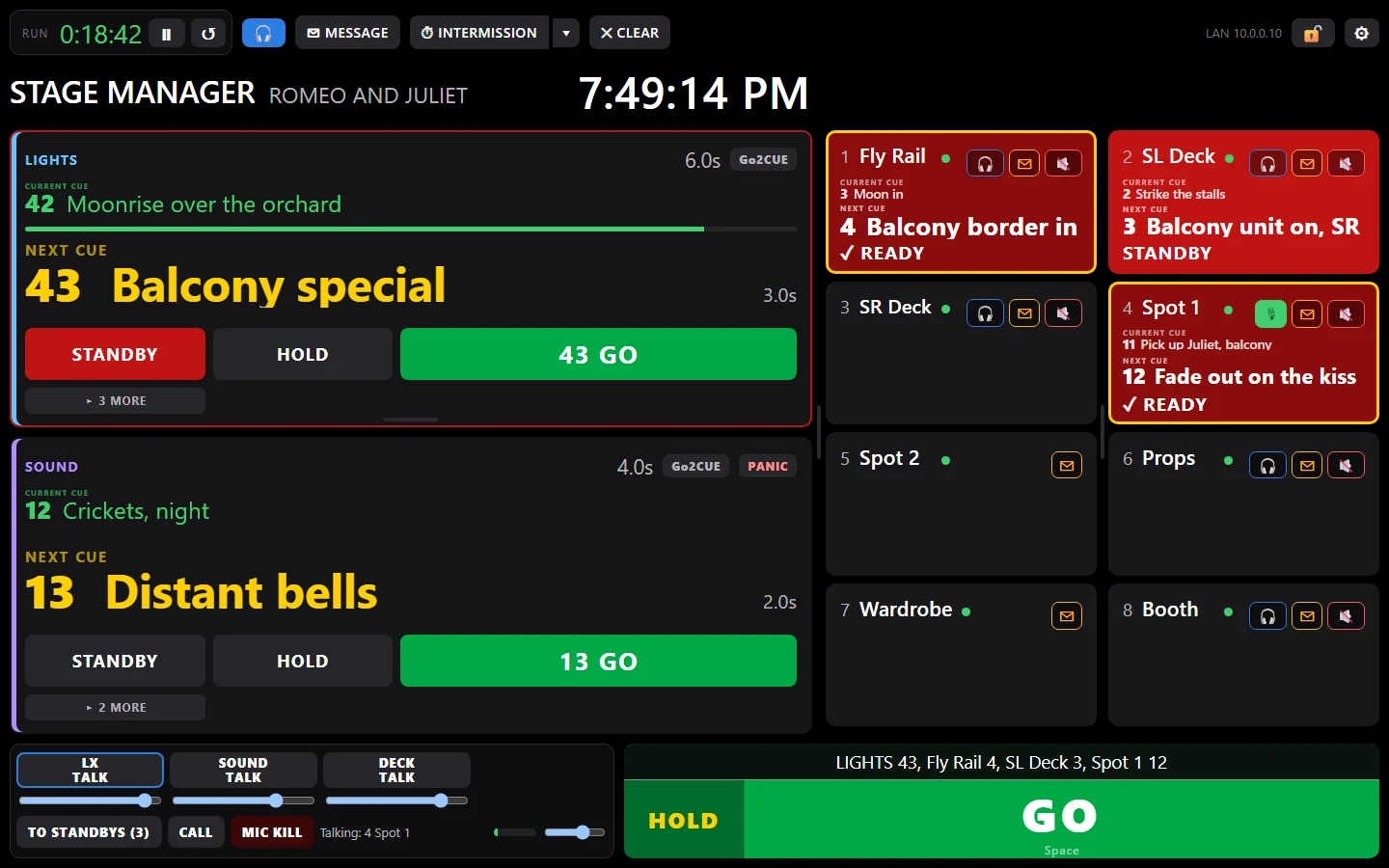
The Go2Cue stage manager screen: the lighting cue on standby, Fly Rail and Spot 1 answering READY, SL Deck still flashing STANDBYSTANDBY: flashing until they answerREADY: they've got itGO runs the desk's next cue, and cues the stationsMessages to any stationIntermission and curtain countdowns
  1. STANDBY: flashing until they answer
  2. READY: they've got it
  3. GO runs the desk's next cue, and cues the stations
  4. Messages to any station
  5. Intermission and curtain countdowns
The real stage manager screen: LIGHTS on standby, Fly Rail and Spot 1 have answered READY, SL Deck is still flashing.
Cues
The cue light system, up close

Every GO, called and answered.

On your show's own Wi-Fi, with no internet and no cable runs.

Cues the crew

Standby flashes on the station until the crew taps READY, and you see they're ready. A lighting cue or QLab can call standbys and GOs by itself, too.

FLY RAILSTANDBY
SL DECKREADY
SPOT 1GO

Triggers the desks

The same GO runs lighting, sound and video: Eos, grandMA3, grandMA2, QLab, X32 and M32, WATCHOUT 7, Isadora, or anything that speaks OSC. Or leave it off and every screen still shows each desk's cues, live.

LIGHTSETC Eos  42 → 43 SOUNDQLab  12 → 13 VIDEOQLab  5 → 6

Calls and intermission

Half hour, fifteen, ten, five and places go out by themselves. One press starts the intermission clock on every screen.

TO CURTAIN
35:00
every
station
3015105Places

Messages anyone

"Hold please" to one station, a department or everyone. It flashes until it's read, and you see who read it.

HOLD PLEASETAP WHEN READ
DRESSING A ♪✉ unread
The stage manager's screen

Lay it out like your show.

Big tiles for the main positions, small ones for the dressing rooms: drag any line to resize. Locked while you call, saved with the show.
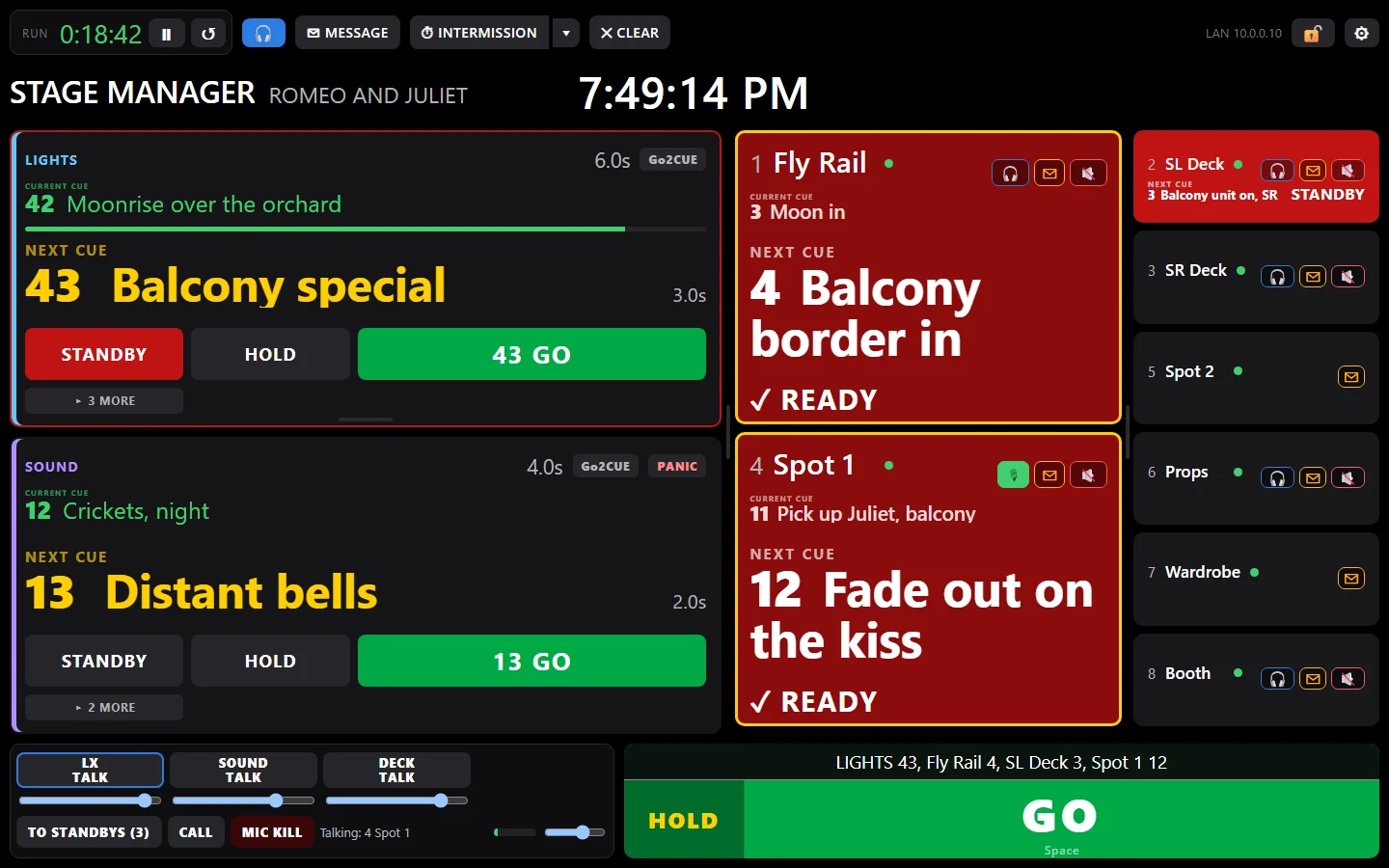
The Go2Cue stage manager screen laid out for a show: the desk feeds on the left, big tiles for the main crew positions in one column and small tiles for the dressing rooms in the next
Big tiles for the fly rail, the decks and the spots; small ones for the dressing rooms.
NEW Crew cue lists · Cues Lite and up · Google Sheets with Cues Pro

Every station's cues, straight from your cue sheet.

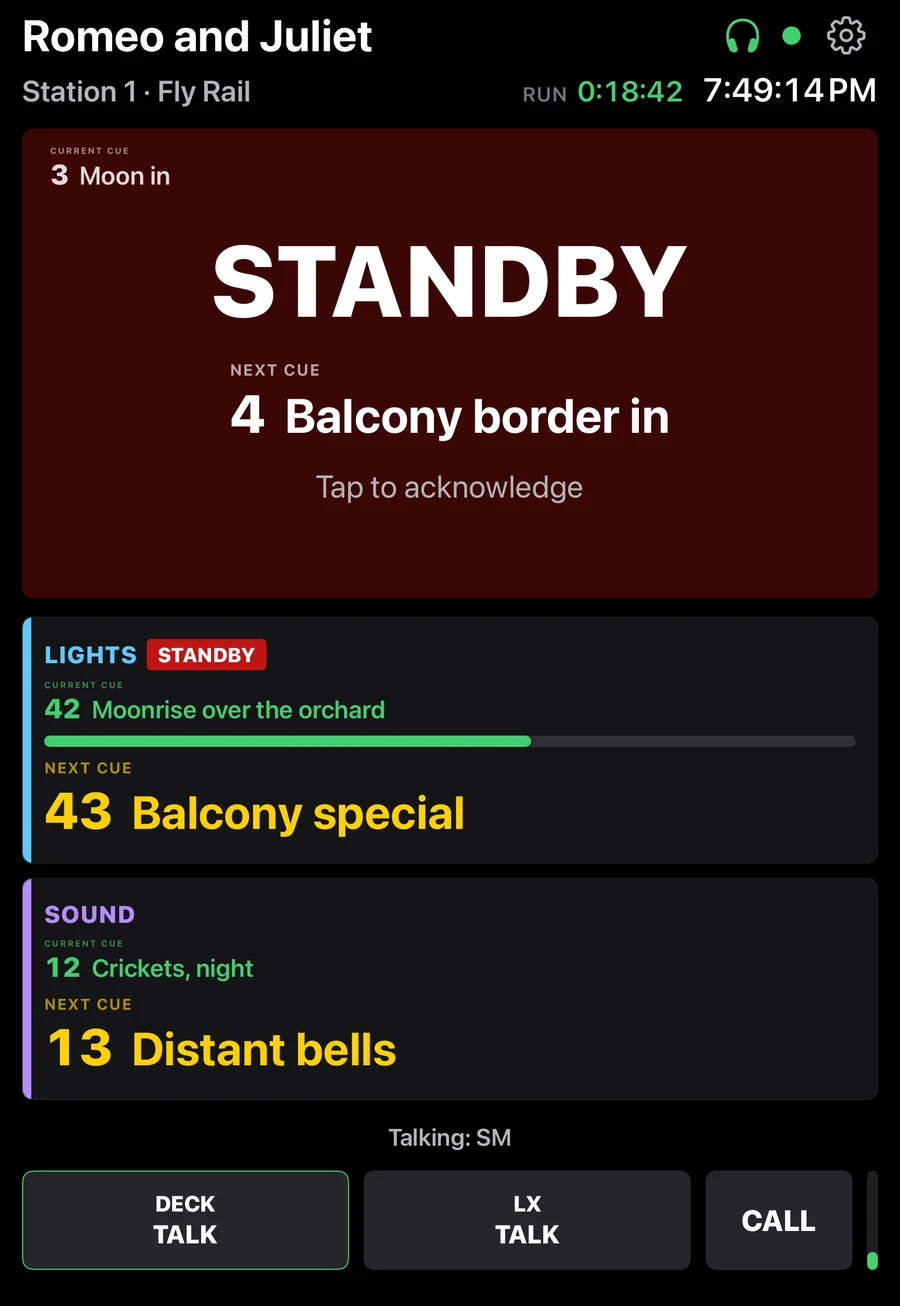
Each crew position gets its own cue list, so the fly rail sees "STANDBY · 4 · Balcony border in", not just a red light. With Cues Pro, it stays in step with the cue sheet you already keep in Google Sheets.

Typed inOne cue per line, on the station's page.
From a cue sheetA CSV or Excel export: a Department column makes a list for each department at once.
Linked to a Google SheetA tab for each station, or one master tab with a Department column. Go2Cue matches the names itself. With Cues Pro.
1

Change it in the sheet, from anywhere

The fly captain slows cue 4 and adds 4.5, on their phone. Go2Cue only reads the sheet.

Romeo and Juliet: cue sheet Google Sheet
CueWhatFade
21Main rag out
32Street drop out
43Moon in8
54Balcony border in, slower6
64.5Orchard leaves fly in10
75Garden wall in
86Moon out
97Friar's cell drop in
Fly RailDeckPropsWardrobeSpot 1
2

Go2Cue sees it, and waits for you

Between shows it goes straight in. Mid-show, a yellow LIST CHANGED button shows what changed, and nothing moves until you press Apply now.
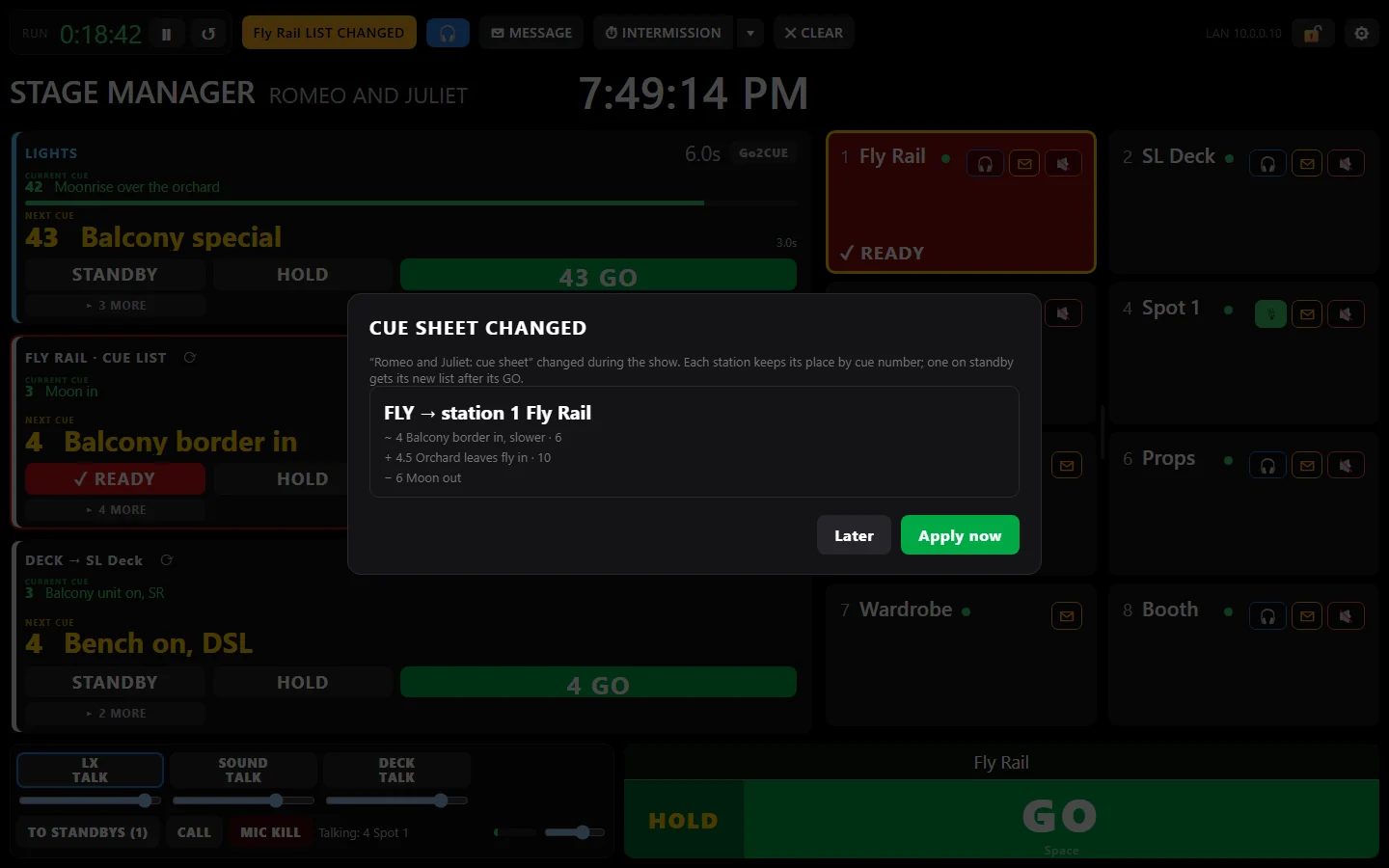
Go2Cue's stage manager screen mid-show with the Cue sheet changed window: FLY to station 1 Fly Rail, cue 4 changed, 4.5 added, 6 removed, with Later and Apply now
The stage manager sees the change mid-show, and chooses when it goes in.
3

The crew has it, in place

Each station keeps its place by cue number, so nobody jumps.
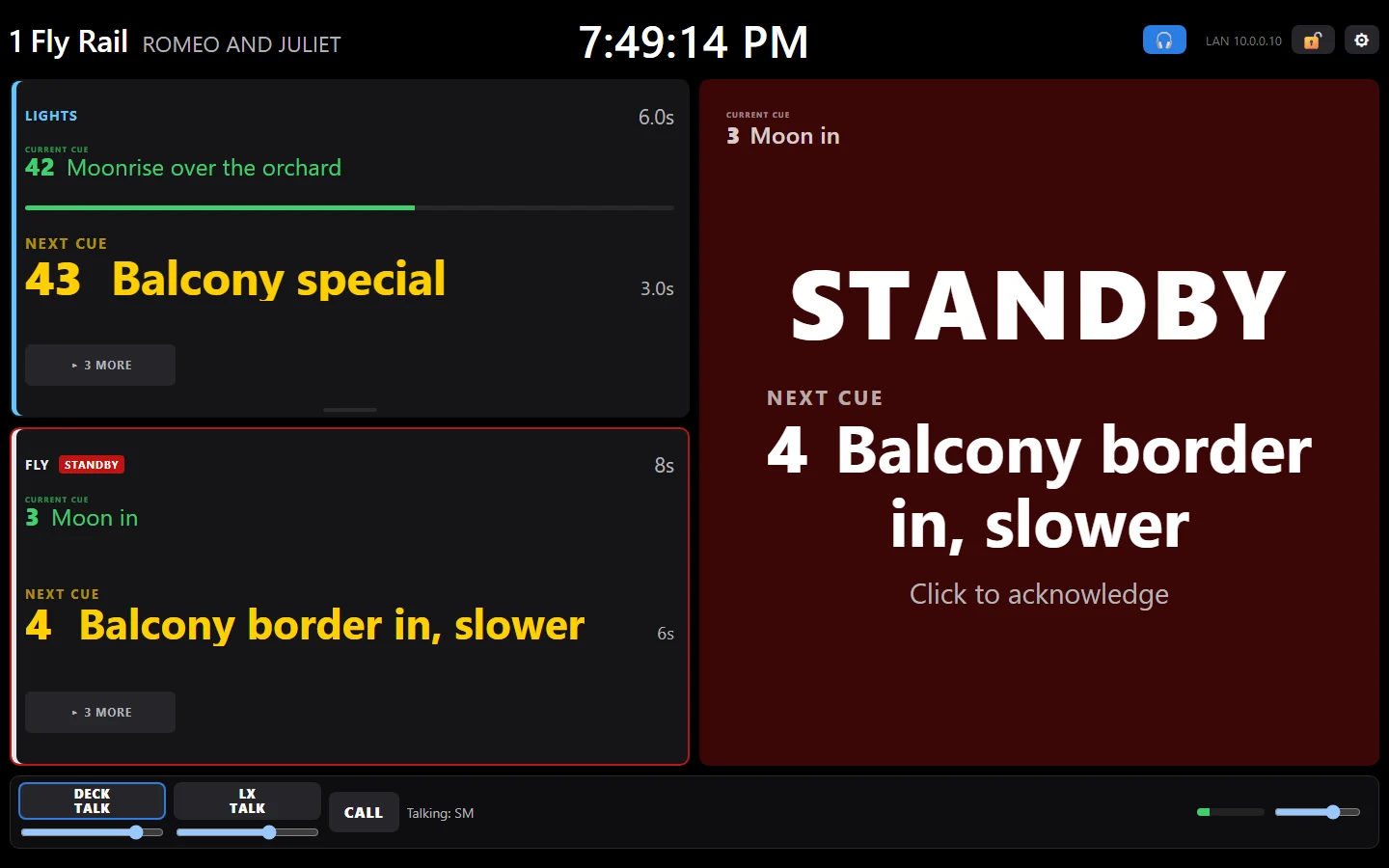
The Fly Rail's own Go2Cue station: STANDBY, 4, Balcony border in, slower, acknowledged; its FLY cue list and the LIGHTS desk beside it
The Fly Rail's station: its own list, and the cue that just changed.
Crew stations on iPhone and iPad

The phone in their pocket is a cue light.

The Go2Cue Station app makes an iPhone or iPad a crew station, with coms on a headset too. It finds the stage manager's computer by itself.

  • Older devices work: iPhone 8 or newer, iPad from 2017 on.
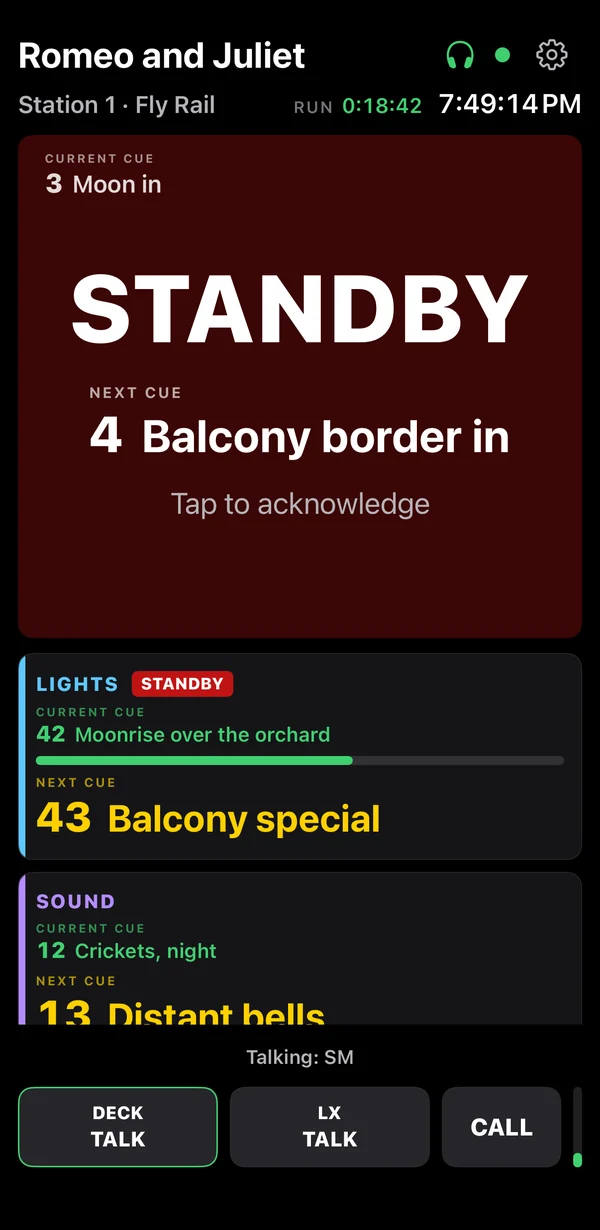
  • STANDBY and the next cue fill the screen, and GO shows the cue they go on.

With our beta testers now; the App Store to follow.
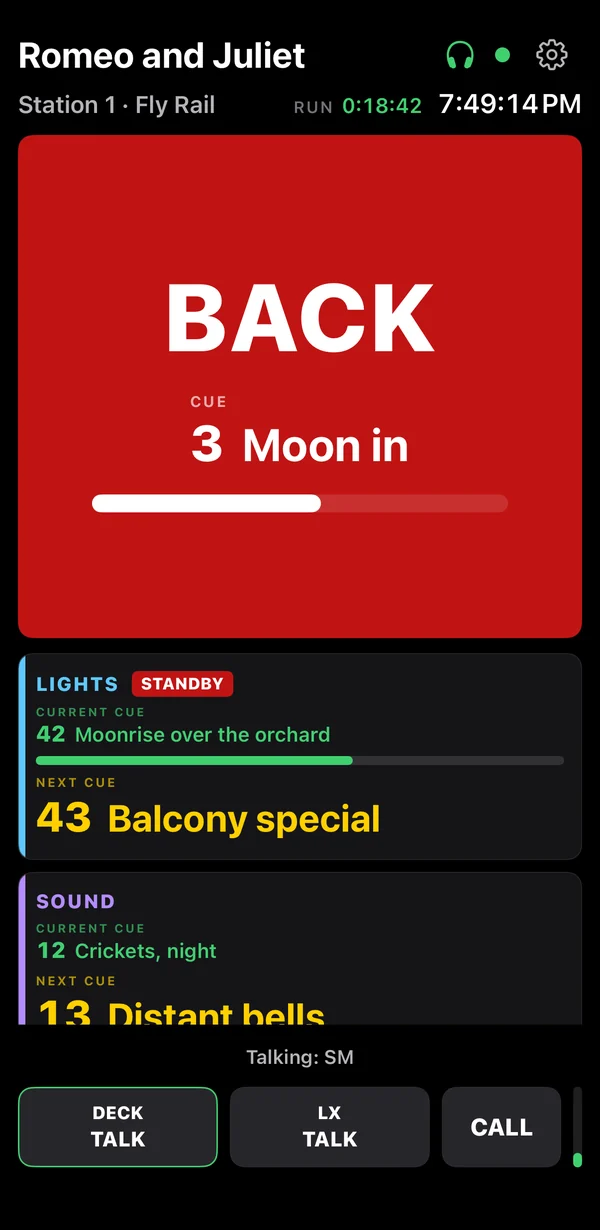
An iPad as a Go2Cue crew station on standby: STANDBY and the next cue big, the current cue small in the corner An iPhone as a Go2Cue crew station on standby: STANDBY and the next cue big, the current cue small in the corner An iPhone station after the stage manager's HOLD and BACK: the screen red, with the cue it goes back to and a 3-second countdown bar
An iPad and an iPhone on standby, and an iPhone going BACK after a HOLD.
The station box

A cue light that reads and responds.

A 3.5-inch touchscreen for any crew position: the cue, what's next, and a STANDBY you can't miss. On the rail, the deck, or the dressing room wall.

3.5" touchscreenCue numbers and names, STANDBY, READY, GO, messages and countdowns. Tap to answer.
Dual-band Wi-Fi2.4 or 5 GHz, on the show's own network.
SpeakerA chime with a call, for dressing rooms and the green room.
External antennaFor the far side of the fly floor.
USB-C or batteryAny phone charger or power bank, or a battery inside. The stage manager sees every box’s battery level.
Updates over the airFrom the stage manager's laptop. No cables, no internet.
A wireless cue light station for about $35. An off-the-shelf Waveshare touchscreen you buy yourself, set up by USB from the stage manager's computer: a $5 box setup, or included with a license you own. Go2Cue is software: we don't sell hardware.
No hardware to buy

Use the screens you already have

Any Windows or Mac laptop, iPhone or iPad can be a station: an old laptop on the fly floor, an iPad backstage, a phone in the dressing room. Only the stage manager's laptop needs a license.

Or a dedicated box
≈ $35per station

The Waveshare ESP32-C5 3.5" touchscreen. Plug it into the stage manager's computer, sign in to your free Go2Cue account, choose Box setup, pick its Wi-Fi and station, done. A new box takes a box setup: $5, or included with a license you own. After that it updates itself over the air.

Try it on your next show.

Free forever for one station and one desk: yours to keep, not a trial. The 30-minute demo of everything needs no card.